
Free music download apps are popular because they solve a simple problem.
People want music available on their phones when they are offline, traveling, commuting or trying to save mobile data. They may want to keep MP3 files organized, build playlists, convert eligible audio, or store authorized tracks in one clean place.
Want an Android app to save and organize authorized music, MP3 and video files more easily?
Get Lynka on Google PlayOn Android, this can be especially useful because the platform gives users more control over files and folders.
But there is an important rule that should not be ignored: free does not always mean free to download.
A music file may be available online, but that does not automatically mean you have permission to save, convert or reuse it. The safest music download apps are the ones that focus on authorized content, copyright-safe files, public domain audio, Creative Commons music or media the user already has the right to store.
That distinction matters for users, app developers and platforms.
A good Android music download app should not just help people save songs. It should help them manage music responsibly.
Why People Use Free Music Download Apps
The main reason is convenience.
Streaming is easy when you have a strong connection, but it is not always ideal. Mobile data can be limited. Wi-Fi may be unreliable. Some users travel often. Others simply prefer to keep certain songs, recordings or audio files on their device.
A free music download app can help users save authorized audio for offline listening.
This can include royalty-free tracks, public domain recordings, Creative Commons music, personal audio files, legally shared MP3s or files from sources that clearly allow downloading.
For some users, the appeal is not only downloading. It is organization.
They want one place to save songs, play MP3 files, manage folders, check download history, create playlists and clean up old audio.
That is where a well-designed Android app can be useful.
The Copyright Question Comes First
Before using any free music download app, users should ask one question:
Do I have the right to download this song?
This is the most important part.
A song being available online does not always mean it can be downloaded. Many tracks are protected by copyright. Some platforms allow streaming but not saving. Some creators allow downloads only under specific license conditions.
That is why responsible apps often use language such as “authorized media,” “supported content,” “eligible files” or “content you have the right to download.”
This is not just legal caution. It is part of safe digital behavior.
Users should avoid downloading copyrighted, private, paid, DRM-protected or unauthorized content. They should also respect the rules of the platform where the media is hosted.
If the source does not clearly allow downloading, it is safer not to save it.
What Counts as Copyright-Safe Music?
Copyright-safe music can come from several places.
Some music is in the public domain, which means copyright restrictions may no longer apply or the creator has made it freely available. Some music is released under Creative Commons licenses, which can allow sharing or reuse under certain conditions. Some artists directly offer free downloads on their own websites or official pages.
There are also royalty-free music libraries that allow users to download tracks for personal or creative use, depending on the license.
But every license has conditions.
Some tracks may require attribution. Some may be free for personal use but not commercial use. Some may allow listening but not remixing. Some may allow download but not redistribution.
Users should check the license before saving or using the music in videos, podcasts, social media posts or commercial projects.
A good music download habit is simple: download only from sources that clearly say downloading is allowed.
Free Music Download Does Not Mean Unlimited Music
The phrase “free music download” can be misleading.
Some users hear it and think it means any song can be saved for free. That is not how copyright works.
A free music download app should not be treated as a tool for grabbing any song from the internet. It should be treated as a file and media utility for content that is allowed to be saved.
This is especially important for popular songs, commercial albums, private uploads and streaming-only content.
If a platform offers music only for streaming, downloading it through another tool may violate that platform’s rules or copyright law.
A safer approach is to use download apps for content that is clearly permitted: your own files, creator-approved downloads, royalty-free music, public domain audio and licensed tracks.
That way, users get the offline convenience without creating unnecessary risk.
What to Look for in a Good Android Music Download App
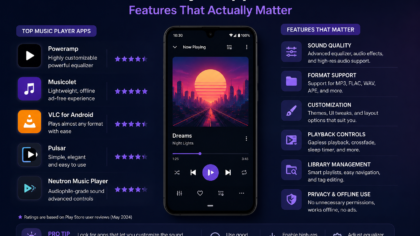
A good Android music download app should be simple, clear and respectful of user control.
It should make it easy to save supported audio files, but it should also help users understand that only authorized content should be downloaded.
The interface should be clean. Users should be able to see what they saved, where the file is stored and whether it is audio or video. Download history should be easy to review. A built-in player can also help users check files without switching apps.
Folder control is useful too.
If every file goes into one messy downloads folder, the phone can become cluttered quickly. A better app helps users organize music, MP3 files and converted audio in a way that makes sense.
Useful features may include:
clear file names
download history
audio folders
built-in MP3 player
playlist support
share options
dark mode
storage management
simple search
safe link handling
The best app is not always the one with the longest feature list. It is the one that makes authorized downloads easier to manage.
Offline Music Can Save Data, but Storage Still Matters
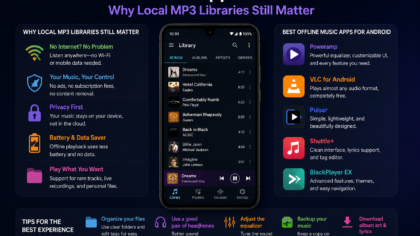
Offline music is useful because it can reduce repeated streaming.
If you listen to the same authorized tracks often, saving them locally may help when you are traveling, commuting or using limited data. It also makes listening easier when the connection is weak.
But downloads use storage.
MP3 files are usually smaller than videos, but a large music library can still take up space over time. Converted files, duplicates and old downloads can quietly fill your phone.
This is why download apps should be paired with good file management habits.
Delete songs you no longer need. Remove duplicate files. Keep playlists organized. Check your downloads folder once in a while. If you convert video to audio, decide whether you still need the original video file.
A free music download app is more useful when your library stays clean.
Why Built-In Music Playback Helps
A built-in music player can make a download app more practical.
Instead of saving a file and then searching for another app to open it, users can play the track directly. This helps them confirm that the file works, check audio quality and organize it into a playlist or folder.
A good player should be simple.
It should show the track name, play and pause clearly, allow skipping, and make it easy to find saved files. Extra features such as background playback, playlist sorting and favorite tracks can improve the experience.
But the player should not make the app confusing.
For many users, the goal is quick offline listening. A clean MP3 player is often better than a complicated interface full of menus.
Be Careful With MP3 Conversion
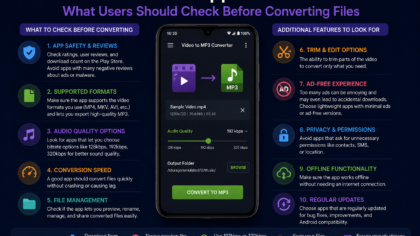
Some Android apps offer MP3 conversion for eligible media.
This can be useful when a user has a video or audio file they are allowed to convert and wants a smaller audio-only version. For example, someone may have a personal recording, a lecture, a royalty-free video or another permitted file.
But conversion also needs permission.
Converting a copyrighted music video, private content or streaming-only media without authorization can create copyright and platform-rule problems.
The safe rule is the same as downloading: only convert media you have the right to save and modify.
Users should also remember that conversion can create duplicate files. After converting, check whether you still need the original file. If not, deleting it can save storage.
Safety and Privacy Matter Too
Free apps should still be safe apps.
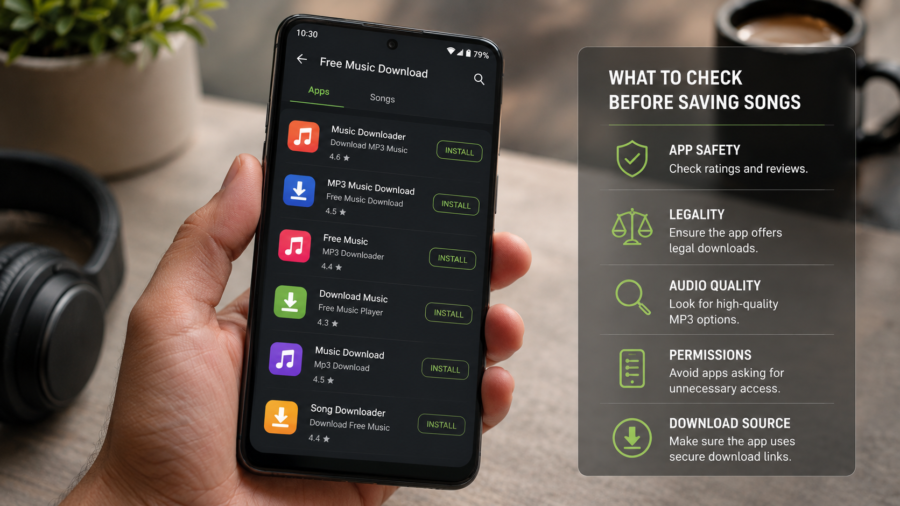
Before installing any music download app, users should check basic trust signals. Is the app available from a trusted store? Does it explain what it does? Does it ask for permissions that make sense? Does it have a clear privacy policy? Does it avoid suspicious pop-ups or misleading buttons?
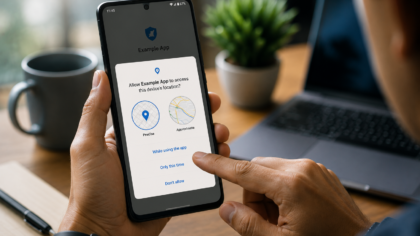
A music app may need access to media files so it can save or play audio. But users should be cautious if an app asks for unrelated permissions.
Data safety also matters.
A responsible app should explain whether it collects data, shares data or stores user activity. Users should be able to understand what happens to their files and information.
The safest app experience is simple: clear purpose, clear permissions and no confusing behavior.
How to Keep a Free Music Library Organized
A downloaded music library becomes more useful when it is organized.
Start with folders. Keep music, podcasts, converted MP3s and personal audio separate. Rename important files so you can find them later. Remove duplicates. Delete temporary downloads after you are done with them.
Playlists can also help.
A playlist for travel, workouts, study, relaxing or offline listening can make the library feel more personal. Favorites are useful when the library grows.
If the app has download history, review it occasionally. Old files may no longer be needed.
Good organization turns a music download app from a temporary tool into a real media library.
Who Should Use Free Music Download Apps?
Free music download apps are best for users who regularly listen to authorized offline audio.
They can be useful for students saving lectures or study audio, creators organizing royalty-free music, travelers preparing offline playlists, users managing personal MP3 files or anyone who wants a cleaner audio library on Android.
They are less suitable for users who simply want to download commercial songs without permission.
That is not a safe or responsible use case.
The best user is someone who understands the difference between free-to-listen and free-to-download.
Final Takeaway
Free music download apps on Android can be genuinely useful when they are used responsibly.
They can help users save authorized songs, organize MP3 files, listen offline, manage playlists and keep media in one place. For people who travel, commute or prefer local files, that convenience matters.
But the copyright rule comes first.
Only download music you have permission to save. Avoid DRM-protected, private, copyrighted or streaming-only content unless the source clearly allows downloading. Check licenses before using music in videos, podcasts or public projects.
A good app should make offline music easier, cleaner and safer — not encourage risky downloading.
When used the right way, a free music download app can be a helpful Android tool for building a simple, organized and copyright-safe music library.
Want an Android app to save and organize authorized music, MP3 and video files more easily?
Get Lynka on Google Play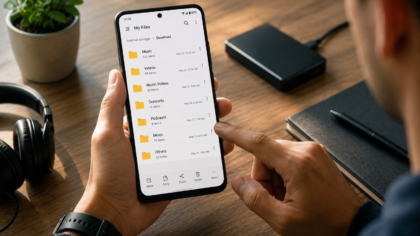
Comments
You can write your views about this story. Comments may be moderated according to site settings.