
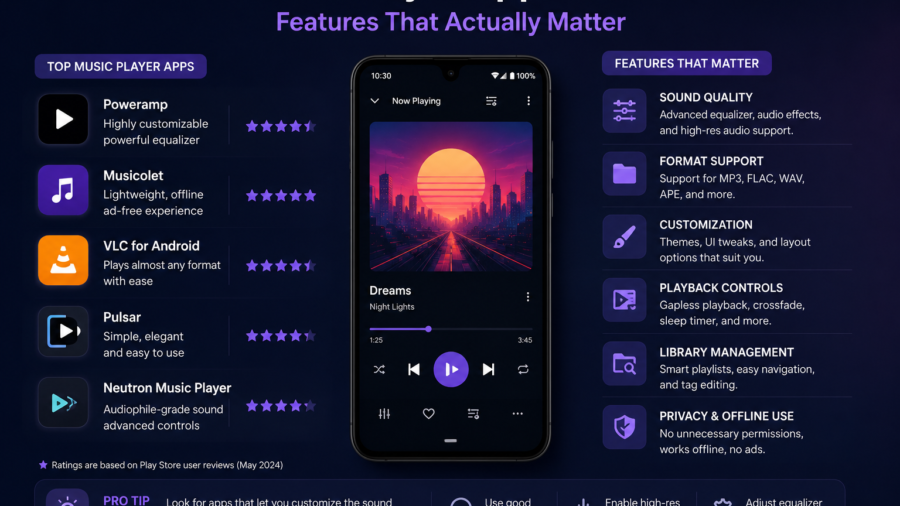
A good music player app for Android should do more than play a song when you tap it.
It should help you find your music quickly, organize MP3 files, build playlists, manage favorites and keep your offline library under control. For many users, the best app is not the one with the most complicated features. It is the one that makes local music easy to enjoy every day.
That matters because Android phones can collect audio files from many places.
You may have MP3 files, voice recordings, podcasts, converted audio, saved tracks, personal media, royalty-free music or files from sources that allow downloading. If everything sits in one messy folder, even a large music library can become frustrating.
A clean music player app can turn that clutter into something useful.
For Android users who want a simple way to manage authorized music, MP3 and video files, Lynka is available on Google Play.
Before choosing any music player, it helps to know which features actually matter.
A Clean Local Music Library
The first feature to look for is a clean local music library.
A music player should make it easy to browse songs stored on your device. That includes MP3 files, audio folders, playlists and recently played tracks. If the app forces you to scroll through random files or confusing names, it will become annoying quickly.
A useful library should show your music clearly.
Folder browsing is especially important on Android because many users organize files manually. Some people keep music by artist. Others use folders for workouts, travel, study, podcasts or offline listening.
The best music player app should support your system instead of forcing you into a layout that does not match how you save files.
MP3 Playback That Feels Simple
MP3 is still one of the most common audio formats for offline listening.
A good Android music player should handle MP3 files smoothly without making the experience complicated. Play, pause, skip, repeat and shuffle should be easy to find. The app should also resume playback reliably when you return to it.
This sounds basic, but it matters.
Many users do not need a music app that feels like a professional studio tool. They need an app that opens quickly, finds the file and plays it without confusion.
If an app is slow, cluttered or full of distracting menus, it can make a simple task feel harder than it should.
Good playback should feel almost invisible.
Playlist Support
Playlists are one of the most useful features in any music player.
They help you organize music by mood, activity or purpose. You might create playlists for travel, exercise, relaxing, studying, commuting or favorite tracks. A playlist can also help separate music from podcasts, personal recordings or downloaded audio.
A strong Android music player should make playlist creation simple.
Adding a song should not require several confusing steps. Rearranging tracks should be easy. Removing old songs should not delete the original file unless the user clearly chooses that action.
This distinction is important.
A playlist is not the same as storage. Removing a song from a playlist should usually remove it only from that playlist, not from the phone.
Clear controls help prevent mistakes.
Favorites and Recently Played Media
Favorites are useful because people often return to the same songs or audio files.
A favorites feature lets users build a quick personal collection without creating a full playlist every time. This is helpful when your library grows and you do not want to search repeatedly for the same track.
Recently played media is also useful.
It helps you return to the last song, podcast, lesson or recording without remembering the folder name. For users who listen to many different files, this can save time.
These features seem small, but they improve the everyday experience.
A music player is not only about sound. It is about getting back to what you want quickly.
Search That Actually Works
Search is essential when a music library becomes large.
A good music player should let users search by title, artist, album or file name. If the app supports folder search, that is even better for users who organize media manually.
Search should also be fast.
If you have hundreds of tracks, scrolling is not enough. A clean search bar can make the difference between using the app daily and giving up on it.
Good search also depends on file names and metadata. If files are badly named, even the best search tool may struggle. That is why users should rename important files and edit basic information when possible.
The app can help, but the library also needs some organization.
Metadata Editing
Metadata is the information attached to an audio file.
It can include the song title, artist, album, cover image, genre and other details. When metadata is clean, your music library looks more organized. When it is messy, songs may appear with strange names or missing details.
A music player with metadata editing can be useful for people who keep local MP3 files.
For example, if a track appears as “unknown artist,” editing the metadata can make it easier to find later. If a file has the wrong title, correcting it can improve search and playlist organization.
Not every user needs this feature. But for people with large offline libraries, it can be very helpful.
A clean library starts with clear information.
Lyrics Support
Lyrics can make a music player feel more complete.
Some users like reading lyrics while listening. Others use lyrics for language learning, singing along or understanding a song better. If a music player includes lyrics support or lets users manage lyric files, that can add value.
However, lyrics should be handled responsibly.
Lyrics are copyrighted in many cases, and not every lyric source allows copying or saving. Users should only use lyrics they have the right to access or manage.
The best approach is simple: lyrics support is useful, but it should not encourage unauthorized copying.
For personal, permitted or user-provided lyric files, the feature can make a music library feel richer.
Offline Listening
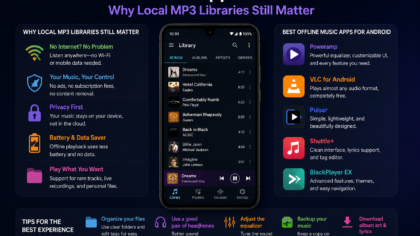
Offline listening is one of the biggest reasons people use local music player apps.
Streaming is convenient, but it depends on a connection. Offline files are helpful when traveling, commuting, flying, studying in low-signal areas or trying to save mobile data.
A good Android music player should make offline listening reliable.
That means the app should work without needing constant internet access. It should play local files clearly and keep playlists available even when the connection drops.
For many users, this is the main reason to keep MP3 files on a phone.
Offline listening gives control back to the user.
Storage Management
Music files can quietly fill a phone over time.
A few MP3 files may not matter, but hundreds of songs, converted audio, duplicated tracks and saved videos can take up noticeable storage. If an app also handles video or converted media, storage can become even more important.
A useful media app should help users understand what they have saved.
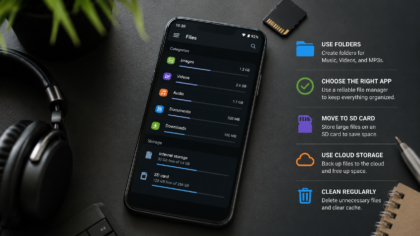
Download history, media folders, file names and clear organization can make cleanup easier. Users should be able to remove old files, delete duplicates and keep important audio separate from temporary downloads.
Storage management does not need to be complex.
It just needs to make clutter visible before the phone runs out of space.
Safe and Authorized Media Use
A music player app should support responsible media use.
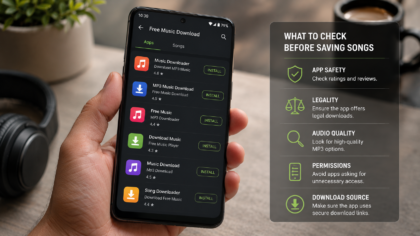
Users should only save, convert, play or organize content they have the legal right to use. This includes personal files, public domain audio, royalty-free music, Creative Commons tracks, creator-approved downloads or other authorized media.
A music app should not be treated as a way to save any song from anywhere.
Some music is only licensed for streaming. Some files are protected by copyright. Some platforms do not allow downloading or conversion outside their own features.
The safest rule is simple: if the source does not clearly allow downloading or saving, do not download it.
A good Android music app should help users manage their own authorized library, not create copyright problems.
Video and Audio Support
Some users want more than a music-only player.
They may have audio files, video clips, lectures, personal recordings or converted MP3 files. An app that can handle both local audio and video can make media management easier.
This is especially useful if you keep different types of content on your phone.
For example, you might save a permitted video file, convert eligible audio to MP3, organize the audio into a playlist and keep the original file in a separate folder.
The key is clarity.
Audio and video should not become mixed into one confusing list. A good app should make media types easy to recognize and manage.
A Simple Interface
A music player should not feel harder than the music library itself.
The interface should be clean, readable and quick. Important buttons should be easy to reach. The player screen should not be overloaded. Folder navigation, playlists, favorites and search should be obvious.
Dark mode can also help because many people listen to music at night or in low light.
A simple interface is not the same as a basic app. It means the app respects the user’s time.
The best design is the one that lets you start listening without thinking too much.
What to Avoid in Music Player Apps
Avoid apps that feel confusing, misleading or overloaded with unnecessary permissions.
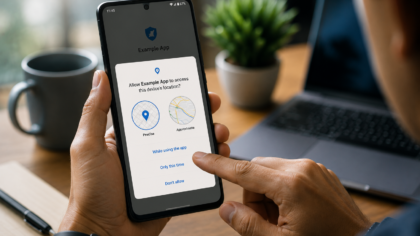
A music player may need access to media files so it can play songs on your phone. But users should be cautious if an app asks for permissions that do not match its purpose.
Also avoid apps that make unsafe promises.
If an app suggests that any song can be downloaded freely without permission, that is a red flag. If buttons are misleading or the app hides where files are saved, it may create more problems than it solves.
A good music app should be transparent.
It should help you understand what it does, where files are stored and how your library is managed.
Final Takeaway
The best music player apps for Android are not always the loudest or most complicated ones.
A good app should make your local music easier to find, play and organize. It should support MP3 files, playlists, favorites, recently played media, search, metadata, offline listening and clear storage management.
It should also encourage responsible use.
Only save, convert or organize music and media that you have the right to use. A clean library is useful, but a copyright-safe library is even better.
For Android users, the ideal music player is simple: fast playback, clear organization, useful controls and enough flexibility to manage real files without turning the phone into a mess.
When an app gets those basics right, offline music becomes easier, cleaner and much more enjoyable.
Comments
You can write your views about this story. Comments may be moderated according to site settings.