
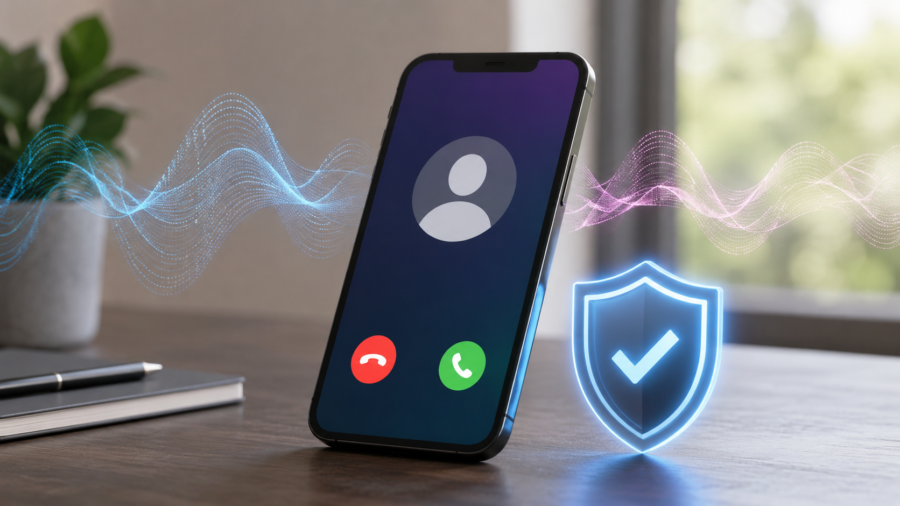
Phone scams are becoming more convincing because scammers no longer need to sound like strangers.
With AI voice tools, a scammer can try to imitate the voice of someone you know. The caller ID may look familiar. The voice may sound emotional. The story may feel urgent. That combination can make people react before they think.
Google is now adding a new protection to Android that could help with this problem.
The company has introduced fake call detection for the Phone by Google app. The feature is designed to warn users when a call appears to come from a saved contact, but may not actually be coming from that person’s device.
Google says fake call detection is rolling out globally this month to Android 12 and newer devices with Phone by Google, starting with Pixel devices. The feature uses real-time verification between devices when both people use Phone by Google, Google Messages, Contacts and RCS. If the call looks suspicious, the user can see a warning during the call.
This is not a magic solution to every phone scam. But it is an important step because AI voice scams are making old fraud tactics more believable.
What is fake call detection
Fake call detection is a new Android safety feature built into Phone by Google.
The idea is simple: if someone in your contacts calls you, your phone tries to verify whether the call is really coming from that person’s device.
If the caller appears to be using a trusted contact’s number but the verification signal does not match, Phone by Google can show a warning. The goal is to help users spot spoofed calls before they trust the caller too quickly.
Google describes the feature as protection against impersonation scams, including AI voice-cloning scams where attackers pretend to be friends, relatives or other trusted contacts.
This matters because caller ID alone is no longer enough. Scammers can spoof numbers and make a call look like it is coming from someone familiar.
How does it work
According to Google, fake call detection works when both the caller and receiver are using Phone by Google and the required Google communication apps with RCS enabled.
When a saved contact calls, the caller’s device can send a silent encrypted confirmation signal. Your device uses that signal to check whether the call is genuinely coming from the contact’s phone.
If the call appears suspicious, Phone by Google can display a warning saying someone may be pretending to call from that contact’s number.
Android Authority reports that the feature requires Android 12 or newer, Phone by Google, Contacts and Google Messages with RCS active on both ends, with rollout starting on Pixel devices.
That limitation is important. This is not a universal scam blocker for every phone call. It is a verification feature that works best when both sides are using supported Google phone and messaging tools.
Why AI voice scams are a growing problem
Traditional phone scams were already dangerous. AI makes them harder to detect.
In the past, a scammer might pretend to be a bank, delivery company or government office. Now, AI voice cloning can make impersonation more personal. A scammer may try to sound like a family member, friend, colleague or someone else the victim trusts.
Google gives a simple example: your phone says “Mom” is calling, the voice sounds like her, and the caller claims there is an emergency. But the person on the other end could be a scammer using AI tools to imitate a familiar voice.
That type of scam works because it creates urgency. The victim is pushed to send money, share a code or reveal private information before verifying the story.
Research also shows why this is difficult for ordinary people. A 2026 study on synthetic voices in vishing scenarios found that participants had poor accuracy when trying to distinguish AI-generated voices from human voices.
Why this feature matters for everyday users
The most useful security features are the ones that appear at the right moment.
Fake call detection matters because it can warn users during the call, when pressure is highest. A warning can interrupt the scammer’s emotional manipulation and give the user a reason to stop, question and verify.
For example, if a caller claims to be a family member and asks for urgent money, a warning on the screen could help the user pause. Instead of trusting the voice, they can hang up and call the person back directly using a known number.
That small pause can prevent a costly mistake.
Phone scams often succeed because people feel rushed. A well-timed warning helps slow the situation down.
What users should still do
Fake call detection is helpful, but users should not rely on it alone.
The safest habit is to verify urgent calls through a second channel.
If someone calls asking for money, account access, gift cards, crypto payments, bank details or one-time codes, hang up and contact the person or company directly. Use a saved number, official app or official website. Do not use a number the caller gives you during the suspicious call.
Never share one-time passwords, login codes or banking codes over the phone.
Be especially careful if the caller says there is an emergency and tells you not to speak to anyone else. That is a common pressure tactic.
Also remember that AI voices can sound emotional and realistic. A familiar voice is no longer enough proof.
What are the limits
The biggest limit is compatibility.
Fake call detection needs supported Android devices and Google communication apps on both sides. If the caller is using a different phone app, an older device, a landline or unsupported setup, the verification may not work.
The feature also does not mean every scam call will be detected. Scammers may use unknown numbers, fake businesses, messaging apps or other methods.
Another limit is user behavior. A warning only helps if the user takes it seriously. If someone ignores the alert and keeps following the scammer’s instructions, the protection may not be enough.
That is why education still matters. Security tools and smart habits need to work together.
How this fits into Google’s wider Android safety push
Fake call detection is part of Google’s wider June Android Drop.
Google’s latest Android update also includes other safety and convenience features, including expanded Quick Share, Personal Safety features for children and updates across Android apps. The Verge reported that the fake call detection feature is rolling out as part of Google’s broader Android feature update.
This shows how phone security is becoming more proactive.
Instead of only blocking obvious spam numbers, Android is starting to look for more advanced impersonation patterns. That is necessary because scam tactics are changing.
AI is making fraud more personal. Phone security has to become more context-aware in response.
Why this is important for older users and families
AI voice scams can be especially dangerous for families.
Scammers often target emotional relationships. A fake call pretending to be a child, parent or grandparent can create panic quickly. The caller may claim there has been an accident, legal problem, medical emergency or urgent financial issue.
Families should talk about this before it happens.
A simple safety rule can help: if someone calls with an urgent money request, hang up and verify through another method. Families can also agree on a private code word for real emergencies.
Fake call detection can add another layer of protection, but family awareness is still one of the strongest defenses.
What this means for app security
This update also shows where app security is going.
Apps are no longer only adding features for convenience. They are becoming active safety tools.
Phone apps, messaging apps, payment apps and browsers now need to protect users from scams, spoofing, phishing, malware and AI-driven deception. The more realistic scams become, the more important in-app warnings become.
For Android, fake call detection is a sign that call verification may become a normal part of mobile safety.
In the future, users may expect their phones to warn them not only about spam numbers, but also about suspicious impersonation attempts.
Should Android users turn it on
If the feature is available on your device, it is worth using.
It does not replace caution, but it can provide another warning layer. For users who receive many calls from family, friends, work contacts or service providers, contact verification could become useful.
Users should keep Phone by Google, Google Messages, Contacts and Android system updates current. RCS should also be active where supported, because the feature depends on supported communication tools.
Pixel users may see the feature first, with broader Android 12+ rollout following during the month.
The bigger takeaway
Google Phone’s fake call detection is important because phone scams are becoming more personal and more convincing.
AI voice tools can make impersonation harder to spot. Caller ID can be spoofed. Emotional pressure can make people act too quickly.
A warning from the phone app cannot stop every scam, but it can create a critical pause at the right moment.
For Android users, this is a useful safety upgrade. For the wider app world, it is a sign of what comes next: apps will need to protect users not only from spam, but from AI-powered deception that looks and sounds familiar.
The safest rule remains simple. If a call feels urgent, emotional or suspicious, stop and verify it another way. Even if the voice sounds real.
Comments
You can write your views about this story. Comments may be moderated according to site settings.