
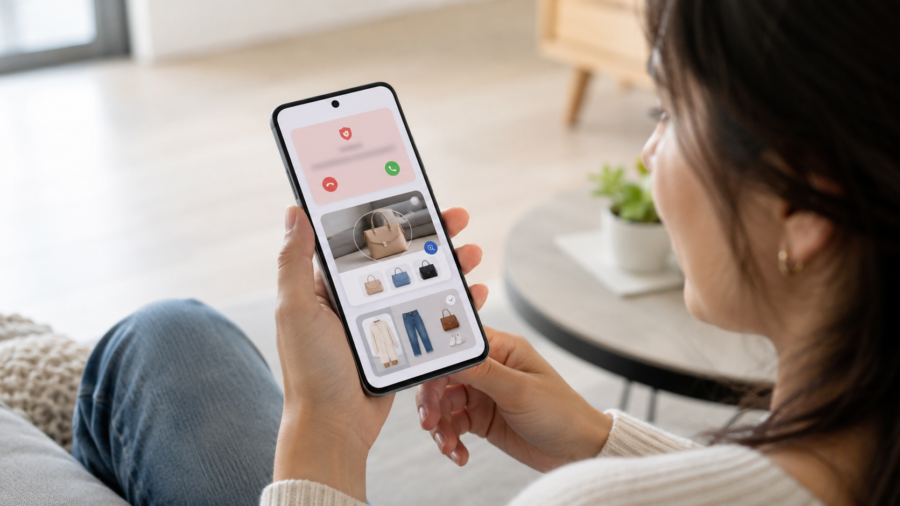
Android updates are no longer just about new icons, faster animations or a different settings menu.
Google’s latest June Android Drop points to something more practical: the phone is slowly becoming a helper that spots suspicious calls, understands what is on your screen, organizes parts of your photo library and gives you small shortcuts inside everyday apps.
That may sound like another round of “AI features,” but this update is more interesting because it is not only aimed at tech enthusiasts. It is aimed at ordinary moments: answering a phone call, looking at an outfit, sharing a photo with a friend, reading a book or setting safety features for a child.
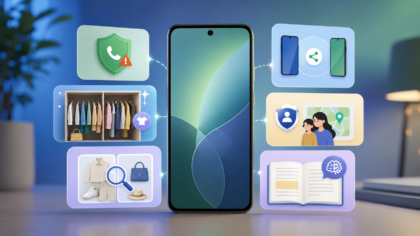
According to Google’s official Android announcement, the June Android Drop includes fake call detection through Phone by Google, expanded Circle to Search shopping tools, a Google Photos wardrobe feature, new Personal Safety options for kids, reading tools in Google Play Books, wider Quick Share support with iPhone devices and new Emoji Kitchen combinations.
The bigger story is not that Android is getting more features. It is that AI is becoming less visible as a product and more visible as a layer inside normal phone behavior.
The Most Useful Feature May Be the Least Flashy One
The most practical part of the update is fake call detection.
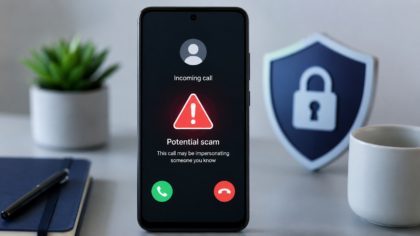
Google says Phone by Google can now help verify whether a call is actually coming from a contact’s device. If someone is pretending to call from a number you trust, the phone can show a warning so you can end the call.
That matters because scam calls have become harder to judge at a glance. Many people no longer answer unknown numbers, but spoofed calls are more confusing because they can appear to come from someone already saved in your contacts.
This is where the update feels less like a gimmick and more like a normal safety tool.
It is not promising to end phone scams. It is not saying every suspicious call will be caught. But a warning at the right moment could help users pause before sharing private information, sending money or continuing a strange conversation.
For readers, the key detail is compatibility. Google says the fake call detection feature is available on Android 12+ devices with Phone by Google. That means it will not instantly appear on every Android phone in the same way.
The useful takeaway is simple: check whether your phone uses Phone by Google, keep the app updated and pay attention to call warnings instead of dismissing them automatically.
Circle to Search Is Moving From Curiosity to Shopping Tool
Circle to Search started as one of those features people try once because it looks clever. You circle something on your screen, and Android helps you search for it.
The June Drop gives it a more everyday use case: finding an entire look.
Google says users can circle an outfit and search for the full look, including different pieces such as tops, shoes and accessories, without switching apps. The feature is available on Android 14+ devices that support Circle to Search.
This is a small change, but it explains where mobile search is going.
Instead of typing “white sneakers black jacket outfit” into a search bar, users can point at what they already see. Search becomes more visual, more direct and more connected to what is happening on the screen.
For casual users, that could be genuinely helpful. You see a jacket in a photo, a pair of shoes in a short video or a room setup in a post. Instead of describing it with words, you use the image itself as the starting point.
There is also a shopping angle, of course. Visual search can make it easier to find similar products. That is useful, but it also means users should keep a little distance between “finding inspiration” and “buying immediately.” A smarter search tool can save time, but it can also make impulse shopping easier.
Google Photos Wants to Become a Digital Closet
One of the more visual additions is Google Photos wardrobe.
Google says the feature will catalog clothes from a user’s photo library and turn them into snapshots that can be browsed on the phone. Users will be able to mix and match outfits, save favorite looks and try combinations virtually. The rollout begins for eligible users in the U.S., India and Brazil with Android 10+.
This is the kind of feature that could work well for Google Discover because it is easy to understand visually. It connects AI, lifestyle and phones without needing a technical explanation.
It also shows how photo libraries are changing.
For years, a phone gallery was mostly a place to store memories. Then it became searchable by faces, places and objects. Now it is becoming more like a personal database that can organize specific parts of your life.
That can be useful. Anyone who has scrolled through years of photos to remember what they wore to an event will understand the appeal. It could also help people plan outfits without buying new clothes, which gives the feature a practical lifestyle angle.
But there is a trust question too. Users should understand that features like this depend on analyzing images in a personal photo library. Google has not described it as a public sharing feature, but people who are privacy-conscious may still want to check settings, availability details and how the feature works before using it heavily.
The best way to frame this for readers is balanced: convenient, visual and potentially useful, but still worth understanding before treating it as automatic.
Personal Safety Features for Kids Add a Family Angle
The June Drop also adds new family safety features.
Google says kids under 13 will get access to helpful features in the Personal Safety app, including displaying medical information, setting emergency contacts on the lock screen and turning on car crash detection. Teens can also use features such as Safety Check and real-time sharing with emergency contacts.
This is another example of Android features moving away from “new toy” territory and into practical household use.
For parents, emergency contacts and medical information on a lock screen can be more useful than a flashy AI tool. If a child is away from home, commuting, traveling with relatives or going to an activity, these settings can give families a little more structure.
That does not mean every family should turn on every tracking-related feature by default. Safety tools work best when they are explained clearly. Children and teens should know what is enabled, who can see location information and when sharing starts or stops.
The practical advice is to treat these features like a family conversation, not just a settings change.
AI Reading Tools Are Coming to Google Play Books
Google Play Books is also getting a reading companion.
Google says users can tap “Catch me up” to recap what they have read so far, or highlight a passage and ask questions about themes, context or characters. The feature is rolling out for select English titles, including thousands of free books.
This is a smart place for AI because many readers stop reading a book not because they dislike it, but because they lose track after a break. A short recap can help someone return without starting over.
The question feature may also help casual readers understand dense sections, especially in older books, long novels or nonfiction titles with unfamiliar references.
Still, there is a careful line here. A reading companion should support reading, not replace it. If the tool gives too much summary, some users may end up reading around the book instead of reading the book itself.
The best use is simple: use recaps to return to a book, and use questions to clarify a section. Do not let the assistant become the whole experience.
Quick Share With iPhone Friends Solves a Real Social Problem
Android and iPhone users have lived with file-sharing friction for years.
Google says Quick Share now works with AirDrop on more Android devices, allowing users to securely send photos, videos and documents to iPhone devices with or without an internet connection.
This may not sound as futuristic as AI wardrobe tools, but it could be one of the most appreciated features in mixed-device families and friend groups.
Travel photos, concert clips, class notes and documents often need to move quickly between phones. When people use different ecosystems, they usually fall back to messaging apps, cloud links or compressed uploads.
Better direct sharing makes the phone feel less locked into one side of the Android-versus-iPhone divide.
The important detail is that support is still tied to select Android phones. Users should not assume every device has the same experience immediately.
Why This Update Matters More Than a Normal Feature List
The June Android Drop is not a dramatic redesign. It is not the kind of update that makes a phone look completely new overnight.
Its importance is quieter.
Android is becoming more proactive in small ways. It can warn you about a suspicious call. It can understand a full outfit on screen. It can organize clothing from photos. It can help a reader return to a book. It can make safety settings easier for families.
That is the direction many phones are moving in: not one giant AI app, but many little AI-assisted moments.
For users, this is good news only if the features are understandable, optional and useful. The best phone features are the ones that solve a real problem without making the device feel more complicated.
The June Drop gets close to that idea because it is built around everyday behavior rather than abstract AI demos.
What Android Users Should Do Next
There is no need to rush into settings and change everything at once.
A better approach is to check the features that matter to you.
If scam calls are a problem, make sure Phone by Google is updated and see whether fake call detection is available on your device.
If you use Circle to Search, try the outfit search feature when you see a style you like, but remember that visual shopping tools are designed to make buying easier.
If Google Photos wardrobe becomes available in your country, explore it slowly and review your comfort level with photo-based organization.
If you manage a child’s phone, look at Personal Safety settings together instead of enabling them silently.
And if you read in Google Play Books, try “Catch me up” as a way to restart a book you abandoned months ago.
The bigger lesson is that phone updates are becoming less about what your device can technically do and more about how it fits into ordinary life.
Google’s June Android Drop may not change Android overnight. But it shows where smartphones are headed: toward smaller, quieter tools that try to help before you open a separate app or type a full search query.
That is useful when it works well. It is also a reminder to stay aware of what your phone is doing for you, what it is learning from and which features you actually want in your daily routine.


Comments
You can write your views about this story. Comments may be moderated according to site settings.