
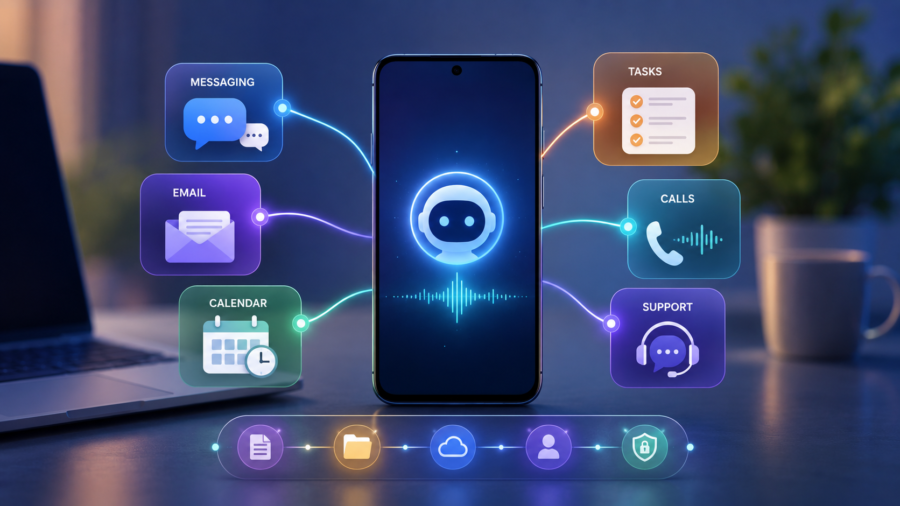
AI agents are no longer only experimental tools for developers and early adopters.
They are moving into the apps people already use every day: messaging apps, phone apps, social media dashboards, business tools, email, calendars and customer support platforms.
This shift matters because most users do not want to open a separate AI app for every task. They want help inside the places where work, communication and daily planning already happen.
That is why recent product launches from Microsoft, Meta, Apple-related messaging tools and Google are important. They all point in the same direction: apps are becoming more active, more contextual and more agent-like.
Instead of only waiting for taps and clicks, apps are starting to suggest, summarize, verify, plan, respond and help complete tasks.
What is an AI agent
An AI agent is different from a basic chatbot.
A chatbot usually answers questions. An AI agent is designed to understand a goal, use tools and help complete a task over time.
For example, a chatbot can explain how to plan a meeting. An AI agent could check a calendar, suggest available times, draft a message and help schedule it.
A chatbot can describe customer support. An AI agent could answer customer questions, qualify leads, book appointments and pass difficult cases to a human team member.
The key difference is action.
AI agents are not only about giving information. They are about helping users move from request to result.
Why agents are moving into everyday apps
AI agents are moving into everyday apps because that is where the useful context already exists.
Your messaging app has conversations. Your phone app has calls and contacts. Your calendar has your schedule. Your email has tasks and commitments. Your business tools have customers, files and workflows.
A separate AI chatbot may be smart, but it often does not know enough about what you are doing.
An AI agent inside an app can be more useful because it can connect to the user’s real workflow.
This is why the next stage of AI is not only about smarter models. It is about putting AI where people already spend time.
Microsoft Scout shows the workplace direction
Microsoft Scout is one of the clearest examples of AI agents moving into daily work apps.
Microsoft describes Scout as an always-on personal agent integrated across Microsoft 365 apps such as Teams, Outlook, OneDrive and SharePoint. The company says Scout can connect to chats, email, calendar, contacts, browser activity, local resources and model context protocol servers.
The important idea is that Scout is not just another chatbot window.
It is meant to sit inside the user’s flow of work. That means it can help with tasks connected to meetings, files, messages, schedules and workplace information.
The Verge described Scout as an always-on assistant built on OpenClaw, with deeper integration than normal productivity assistants and the ability to surface relevant content, help with scheduling and support daily work tasks.
This shows where work apps are heading. The AI assistant is not only answering questions about work. It is becoming part of the work environment.
Meta Business Agent shows the customer support direction
Meta’s Business Agent shows how AI agents are moving into messaging and customer service.
Meta says Business Agent can respond to customers around the clock, answer questions, recommend products from a catalog, book appointments, qualify leads and close sales. The company says more than one million businesses have already used a Meta Business Agent on WhatsApp and Messenger.
This matters because business messaging is already a daily habit for many people.
Customers use WhatsApp, Messenger and Instagram to ask about products, appointments, orders and services. Small businesses may not have a full support team available at all hours.
An AI agent can help handle routine requests, while letting a human step in when needed.
Reuters reported that Meta’s enterprise-focused AI Business Agent is part of a push to automate daily business operations across WhatsApp, Messenger and Instagram, with broader platform integrations planned.
That means messaging apps are becoming more than communication tools. They are becoming business workflow tools.
Apple Messages and Poke show the personal assistant direction
Poke’s approval for Apple Messages for Business points to another trend: AI agents are entering familiar messaging interfaces.
TechCrunch reported that Poke became the first AI agent approved to run on Apple’s Messages for Business platform. Poke already worked through SMS, Telegram and some WhatsApp markets, and Apple approval allows it to add an iMessage-based experience.
Poke is interesting because it tries to make AI agents feel as simple as sending a text.
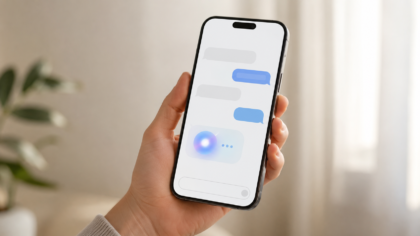
Instead of opening a complicated AI dashboard, users can interact with an assistant in a messaging flow. That could be useful for planning, calendar management, smart home tasks and other daily routines.
This is important because messaging is one of the most familiar interfaces in technology.
People already understand how to ask, reply, clarify and continue a conversation. That makes messaging a natural place for AI agents.
Google Phone shows the safety direction
Not every AI-powered app feature is about productivity.
Some are about safety.
Google’s fake call detection for Phone by Google shows how apps can become more protective. The feature is designed to warn users when someone may be pretending to call from a trusted contact’s number, including possible AI voice scam scenarios.
This is not always described as a classic AI agent, but it fits the same wider trend: apps are becoming more active and context-aware.
Instead of only showing an incoming call, the phone app can help evaluate whether that call may be suspicious.
That is a big change from passive software.
Everyday apps are starting to watch for risk, guide users and interrupt dangerous moments.
Facebook Creator Assistant shows the creator direction
Meta’s Facebook AI Creator Assistant shows another area where apps are becoming agent-like.
Instead of giving creators only raw analytics, the assistant can help explain performance and offer recommendations based on content style, audience and goals.
That matters because creators already spend time inside platform dashboards. An assistant inside the dashboard can help them understand what to do next without switching tools.
This is one of the main reasons AI agents are moving into apps.
The app already has the data. The AI layer can make that data easier to use.
Why users may prefer agents inside apps
Users may prefer agents inside apps because it reduces friction.
If an AI assistant is separate, users have to copy information, explain context and move between tools. That can make AI feel like extra work.
If the assistant is inside the app, it can start with more context.
A calendar agent can understand meetings. A messaging agent can understand conversations. A business agent can understand products and customers. A creator agent can understand content performance.
This makes the assistant more useful and less generic.
The best AI agents will feel like a natural extension of the app, not a feature bolted on top.
Why businesses want AI agents inside apps
Businesses have strong reasons to add AI agents to apps.
First, agents can increase engagement. If an app helps users complete tasks, people may use it more often.
Second, agents can reduce support costs by answering routine questions.
Third, agents can create new paid features, especially for businesses and professionals.
Fourth, agents can make platforms more valuable by connecting data, automation and recommendations.
This is why major companies are racing to add agent features.
The app that controls the agent may also control the user’s workflow.
The privacy problem
AI agents need context, and context creates privacy questions.
If an agent can read emails, messages, calendars, files or customer chats, users need clear controls.
They need to know what the agent can access, what it can remember, what actions it can take and when a human is involved.
This is especially important in messaging and workplace apps.
A helpful agent can become risky if permissions are unclear. An agent that summarizes a calendar is useful. An agent that acts without confirmation could create mistakes.
The most trusted AI agents will be transparent, permission-based and easy to turn off.
The security problem
AI agents also raise security questions.
If an agent can use tools, it must be protected from malicious instructions, unsafe actions and data leaks.
This is especially important for workplace agents that connect to files, email, browsers and business systems.
The Verge reported that Microsoft is treating Scout carefully because of security concerns around OpenClaw-style agents, using approaches such as sandboxing, privacy reviews and Microsoft security tools.
This shows the main challenge of the agent era.
The more useful an agent becomes, the more carefully it must be controlled.
Why the best agents will need human fallback
AI agents should not replace human judgment in every situation.
Meta says its Business Agent lets businesses decide when a team member should step in to provide additional support.
That human fallback is important.
AI agents are useful for routine tasks, quick answers and simple workflows. But complex customer issues, sensitive personal problems, payment disputes and unusual requests may still need people.
The best app agents will not trap users in automated loops.
They will know when to hand off to a human.
What this means for app design
AI agents could change how apps are designed.
Old app design was mostly about screens, buttons, menus and navigation.
Agent-based app design is more about intent. What does the user want to accomplish What information does the app already know What action can the app safely take
This does not mean visual interfaces disappear.
People still need screens for browsing, editing, reviewing and confirming important actions. But many routine steps may move into conversations, suggestions and automated workflows.
Apps may become less like static tools and more like guided environments.
What ordinary users should expect next
Users should expect more apps to add AI assistants over the next year.
Messaging apps may add customer support and personal agents. Productivity apps may add calendar, email and document agents. Social apps may add creator assistants. Phone apps may add scam detection. Shopping apps may add recommendation agents. Travel apps may add planning assistants.
The useful ones will save time.
The annoying ones will feel like extra notifications or forced automation.
Users should judge AI agents by practical value, not branding.
Does the agent help complete a real task Does it explain what it is doing Does it ask before taking important actions Does it respect privacy Can a human step in when needed
Those questions matter more than whether the feature sounds futuristic.
Why this trend matters for soeasy.blog readers
This trend fits soeasy.blog because it affects normal users, not only developers.
AI agents are moving into apps people already understand. That means the AI shift will not always look like a separate chatbot. It may appear as a safer phone call, a smarter message thread, a better content dashboard, a customer support assistant or a workplace helper.
The technology may be complex, but the user experience should become simpler.
That is the promise of AI agents in everyday apps.
The bigger takeaway
AI agents are moving into everyday apps because apps already contain the context needed to make AI useful.
Microsoft Scout shows the workplace direction. Meta Business Agent shows the customer support direction. Poke on Apple Messages for Business shows the messaging direction. Google Phone’s fake call detection shows the safety direction. Facebook Creator Assistant shows the creator direction.
Together, these examples show that the next phase of AI is not only about building smarter standalone chatbots.
It is about making the apps people already use more helpful, more proactive and more capable of completing tasks.
The challenge will be trust.
AI agents must be useful without becoming intrusive, powerful without becoming unsafe and personal without feeling invasive.
If companies get that balance right, everyday apps may become much easier to use. If they get it wrong, users may push back against AI features that feel confusing, risky or forced.
The agent era is arriving inside the apps already on our phones and computers.
Comments
You can write your views about this story. Comments may be moderated according to site settings.