
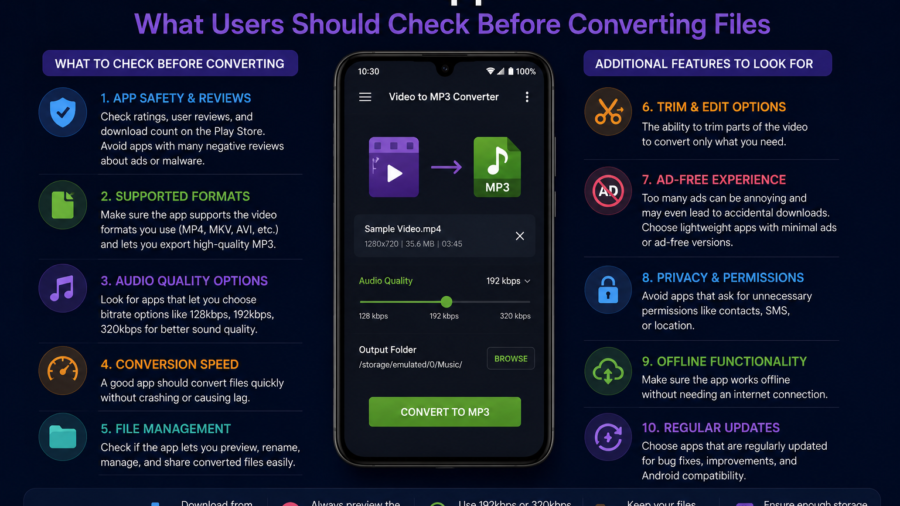
Video to MP3 apps are popular on Android because they solve a very practical problem.
Sometimes users do not need the full video. They only want the audio. That might be a personal recording, a lecture, a voice note, a royalty-free clip, a podcast-style file, a music idea, or another piece of media they are allowed to save and convert.
Turning a permitted video file into MP3 can make the file smaller, easier to organize and more convenient for offline listening.
But there is an important rule: conversion should only be done with media you have permission to use.
A video being available on your phone or online does not automatically mean it can be converted, saved or reused. Copyright, platform rules and license terms still matter.
For Android users who want a simple way to manage authorized music, MP3 and video files, Lynka is available on Google Play.
A good video to MP3 app should make conversion easier, but it should also help users stay organized, avoid storage clutter and respect copyright-safe use.
What Does Video to MP3 Mean?
Video to MP3 conversion means taking the audio track from a video file and saving it as an MP3 audio file.
The new file usually does not include the video image. It keeps only the sound. This can be useful when the visual part is not needed.
For example, someone may convert a personal speech recording into MP3 so it is easier to replay. A student may save audio from a lecture recording they are allowed to use. A creator may extract audio from their own video project. A traveler may keep an audio guide offline.
The goal is convenience.
MP3 files are usually easier to play in music apps, add to playlists and store in audio folders. They can also take less space than video files, depending on quality settings.
Permission Comes First
Before converting any video to MP3, users should ask a simple question:
Do I have the right to convert this file?
This is the most important part of using any converter app safely.
If the video is your own recording, a creator-approved file, public domain content, royalty-free media or another file with clear permission, conversion may be fine. If the video is copyrighted, private, DRM-protected or streaming-only, conversion may not be allowed.
Users should also check license terms.
Some Creative Commons or royalty-free files may allow personal use but not commercial use. Some may require attribution. Some may allow sharing but not modification. Some may not allow derivative works.
Conversion can count as changing the original format, so license details matter.
A safe converter app should be used for authorized media, not for bypassing rules.
Why Android Users Convert Video to MP3
Android users often convert video to MP3 for offline convenience.
Audio files are easier to listen to while commuting, exercising, studying or traveling. You can keep the phone screen off and still play the file. You can add the MP3 to a playlist. You can move it into a music folder and organize it with the rest of your local library.
This is especially useful for people who manage files manually.
Android allows users to browse folders, move files and use different media apps. That flexibility makes MP3 conversion more useful, but it also means users need a clear organization system.
Without organization, converted audio can quickly become another messy folder full of unknown files.
File Quality Matters
Not every MP3 conversion gives the same result.
Audio quality depends on the original video, the conversion settings and the app’s processing. If the video has poor audio, converting it to MP3 will not magically make it sound professional.
Users should also understand bitrate.
A higher bitrate can sound better but creates a larger file. A lower bitrate saves storage but may reduce audio quality. For voice recordings, a smaller file may be fine. For music, users may prefer better quality.
There is no perfect setting for every file.
The best choice depends on whether the audio is music, speech, study material, a personal recording or background listening.
Storage Can Fill Up Quickly
Video to MP3 conversion can help save space, but it can also create clutter.
After conversion, users may have two files: the original video and the new MP3. If both stay on the phone, storage may still fill up.
This is a common mistake.
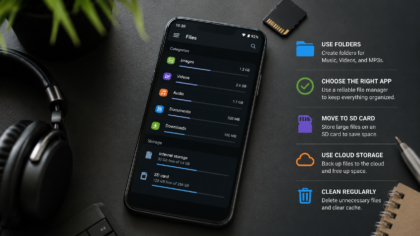
After converting a permitted file, decide whether you still need the original video. If not, delete it or move it to backup storage. If you want to keep both versions, place them in separate folders so they are easy to understand later.
A simple folder system helps:
Videos
Converted MP3
Music
Lectures
Personal Recordings
Travel Audio
Good storage habits make converter apps much more useful.
A Built-In Player Is Helpful
A video to MP3 app is more useful when it includes a simple media player.
After converting a file, users should be able to play the result immediately. This helps confirm that the audio works, the quality is acceptable and the file is saved correctly.
A built-in player also saves time.
Instead of switching between apps, users can convert, check and organize the file in one place. If the app supports playlists, favorites or folder browsing, the experience becomes even smoother.
The best converter apps are not only about creating MP3 files. They are about managing those files after conversion.
File Names and Metadata Make a Big Difference
Converted files often need better names.
A file called “video_2026_07_08_audio.mp3” may work, but it is not easy to find later. A clearer name could include the topic, speaker, project or purpose.
Metadata can also help.
Metadata may include title, artist, album, cover image or other information. For personal audio, users may not need detailed metadata. But for music or organized libraries, correct information makes search and playlists easier.
A good Android media app should help users avoid a library full of unknown audio files.
The more files you convert, the more important naming becomes.
Offline Listening Is the Main Benefit
The biggest benefit of converting authorized video to MP3 is offline listening.
An MP3 file can be played without opening the original video. It can be used during travel, study, workouts, long walks or low-signal situations. It can also be added to a music player or audio library.
This makes the phone more useful when internet access is weak.
But offline listening should not be confused with permission-free downloading. The same rule still applies: only convert and save media you have the right to use.
Convenience should not come at the cost of unsafe or unauthorized use.
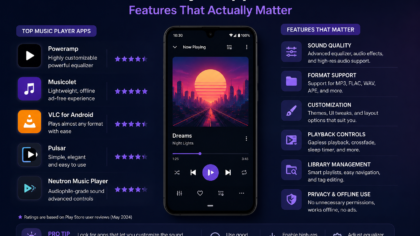
What to Look for in a Video to MP3 App
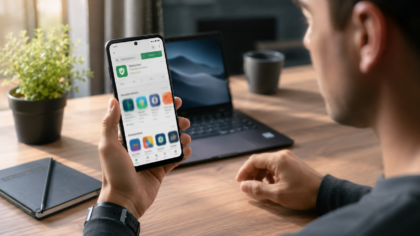
A good video to MP3 app should be clear, simple and safe to use.
Look for an app that explains its purpose clearly. It should support local or authorized media, show where files are saved and make converted MP3 files easy to find.
Useful features may include:
simple conversion controls
clear output folder
built-in audio player
playlist support
file renaming
metadata editing
storage management
download history for supported media
dark mode
safe permission handling
The app should not feel confusing or misleading. It should not make unsafe promises about converting any file from anywhere.
A trustworthy app helps users manage their own media responsibly.
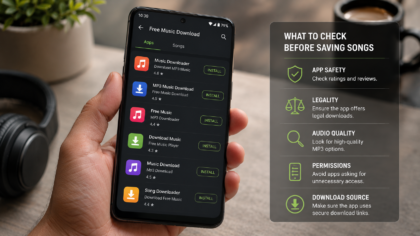
What to Avoid
Avoid apps that encourage risky behavior.
If an app suggests that copyrighted songs, private videos or streaming-only content can always be converted freely, that is a warning sign.
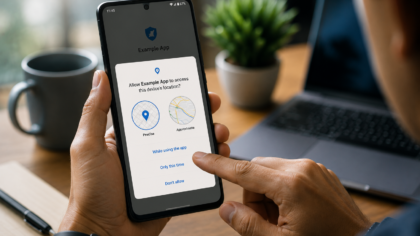
Also be careful with apps that ask for permissions unrelated to media management. A converter app may need access to files so it can process video and audio, but it should not ask for unnecessary access without a clear reason.
Misleading ads, fake buttons, aggressive pop-ups and unclear file locations are also bad signs.
A good app should make the process easier, not more suspicious.
Video to MP3 Is Not Just for Music
Many people think video to MP3 conversion is only about music, but it can be useful for many audio types.
Personal recordings can become easier to replay. Educational videos can become study audio if the user has permission. Travel clips can become voice notes. Creator projects can be separated into audio drafts. Public domain or royalty-free video files can become audio resources when allowed by the license.
This makes the feature broader than many users expect.
The safest and most useful approach is to think of video to MP3 as a media organization tool, not a shortcut for unauthorized music downloads.
Final Takeaway
Video to MP3 apps on Android can be useful when they are used responsibly.
They help users turn permitted video files into smaller, easier-to-play audio files. They can support offline listening, file organization, playlists, study materials, personal recordings and authorized media libraries.
But permission comes first.
Only convert videos you own, created, licensed, or clearly have permission to save and modify. Avoid copyrighted, DRM-protected, private or streaming-only content unless the source clearly allows conversion.
A good video to MP3 app should be simple, transparent and organized. It should help users manage files clearly, check audio quality, control storage and build a clean local MP3 library.
Used the right way, video to MP3 conversion can make Android media management easier without creating unnecessary risk.
Comments
You can write your views about this story. Comments may be moderated according to site settings.