
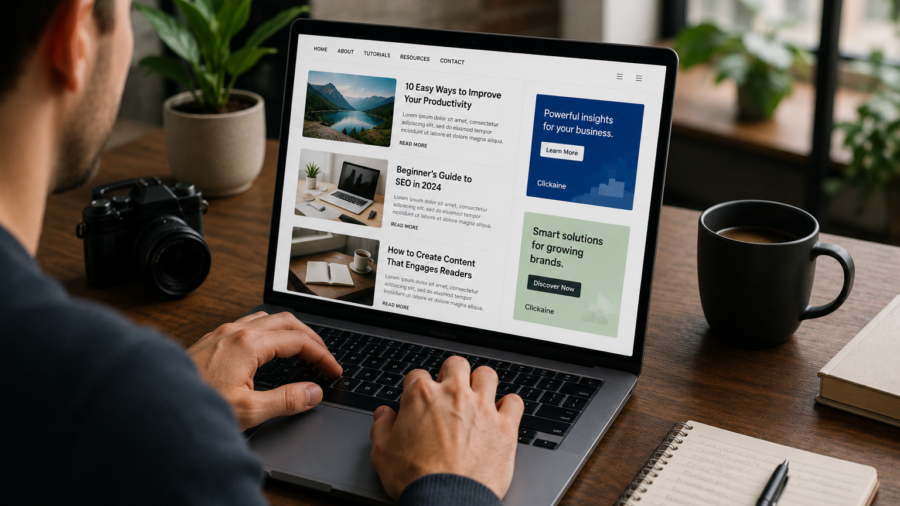
Making money from a website sounds simple: add ads, get traffic and earn revenue.
In real life, it is more delicate than that.
Ads can help a blog, news site or content website earn money from visitors. But too many ads, badly placed ads or aggressive pop-ups can damage the same traffic the site depends on. Readers may leave faster. Pages may feel slower. Search performance may suffer if the content becomes hard to access.
That is why website monetization should not start with the question, “How many ads can I place?”
A better question is: “How can I earn from my website without ruining the reader experience?”
Clickaine is one ad network publishers may consider for monetizing website traffic. It offers several ad formats for publishers, including native ads, banners, push-style formats, video ads, interstitials, pop-under or tab-style ads and other placement options.
But the best results usually come from using ads carefully.
This guide explains how to think about Clickaine ads, where to place them, what to avoid and how to protect long-term website growth while testing monetization.
Disclosure: This article contains a sponsored affiliate link. If you register through the link below, we may receive a commission at no extra cost to you.
Start Monetizing With Clickaine
What Is Clickaine?
Clickaine is an advertising platform that connects publishers with ad demand.
For website owners, the basic idea is simple. You register as a publisher, create or select ad zones, add the ad code to your website and earn revenue when your traffic generates valid ad impressions, clicks or other billable actions depending on the format and campaign.
Like other ad networks, Clickaine offers different formats for different types of traffic.
Some formats are more subtle, such as native ads and banners. Others are more aggressive, such as interstitials, pop-under or tab-based formats. Video formats may work better for websites with media content or stronger user engagement.
The important point is that not every format is right for every site.
A small informational blog, a travel guide website, a tech news site and a video-heavy entertainment site may all need different ad setups.
Why Website Monetization Needs Balance
Ads can help a website survive.
Content takes time. Hosting costs money. Writers, editors, tools, design and maintenance all require resources. For many independent publishers, advertising is one of the most realistic ways to keep publishing free content.
But ads also create friction.
A reader visits your page because they want information. If the first thing they see is a full-screen interruption, a confusing pop-up or a layout overloaded with ads, they may leave before reading anything.
That hurts trust.
A website should not make readers feel like the content is only an excuse to show ads. The content must remain the main product. Ads should support the website, not take control of it.
The best monetization strategy is the one that earns money while keeping readers willing to return.
Start With the Right Ad Format
Clickaine offers multiple ad formats, but beginners should not activate everything at once.
Start with formats that are easier to control and less likely to interrupt the reader.
For many websites, banners and native ads are safer starting points. They can be placed inside the layout without blocking the content. Native ads may blend more naturally with the page if they are clearly labeled and placed responsibly.
Video ads can work if your site already has video content or if the placement does not feel forced.
Push-style formats, interstitials, pop-under, tab and skim formats need more caution. They may generate attention, but they can also frustrate users if overused.
Aggressive formats should be tested carefully, especially on mobile.
Good Ad Placement Matters More Than Quantity
More ads do not always mean more money.
If you add too many ads, readers may spend less time on the page. They may scroll less, click away faster or avoid returning. That can reduce long-term traffic and hurt the site’s value.
Good placement is usually better than heavy placement.
A simple setup might include one ad near the top after the opening section, one in the middle of a long article and one near the end. Sidebar or sticky placements may work on desktop, but they should be tested carefully on mobile.
Mobile is especially important because screen space is limited.
An ad that looks normal on desktop can feel overwhelming on a phone. Always check the live page on mobile before deciding the placement is acceptable.
Protect the First Screen
The first screen of your article matters.
When readers land on a page, they should immediately understand what the content is about. The title, opening paragraph and main content should be easy to access.
If ads cover the first screen or push the content too far down, the page can feel low-quality.
This is especially risky for search traffic.
Readers arriving from Google expect the answer to be visible quickly. If they have to close pop-ups, wait for overlays or scroll past too many ads before reaching the content, they may leave.
A good rule is simple: let the reader start reading before asking for attention with ads.
Be Careful With Interstitials and Pop-Under Ads
Interstitial and pop-under style formats can be powerful, but they are also risky for user experience.
A full-page interstitial can interrupt the user before they reach the content. A pop-under or tab-style ad can feel unexpected if it opens in a way the reader does not understand. These formats may increase short-term revenue, but they can reduce trust if used too aggressively.
That does not mean publishers can never test them.
It means they should use limits.
Avoid showing them immediately on the first page view. Avoid repeating them too often. Avoid making them difficult to close. Avoid using them on pages where the reader is trying to complete a simple task.
If a format makes the site feel annoying, it may cost more than it earns.
Use Affiliate Links Correctly
If you include a referral or affiliate link, label it properly.
Google recommends marking paid or sponsored links with the rel="sponsored" attribute. Using nofollow is also commonly used to avoid passing ranking signals through paid links.
That is why the Clickaine button in this article uses:
rel="sponsored nofollow noopener"
This is a simple but important detail.
It tells search engines that the link is commercial. It also helps keep the article transparent and safer from an SEO perspective.
You should also include a clear disclosure near the link. Readers should know when a link may generate a commission.
Trust matters more than hiding the relationship.
How to Add Clickaine to a Website
The exact setup can vary depending on your website platform, theme and ad format, but the general process is usually straightforward.
First, register as a publisher.
Second, add your website and follow the platform’s approval or setup process.
Third, choose the ad format you want to test.
Fourth, create an ad zone and copy the ad code from the dashboard.
Fifth, place the code on your website in a controlled location.
If you use WordPress, you can usually add ad code through a theme ad area, widget, header/footer plugin or ad management plugin. The safest option is to use a method that lets you control where ads appear without editing theme files directly.
After adding the code, check the page on desktop and mobile.
Do not assume the ad looks fine until you test it as a real visitor.
Test One Format at a Time
A common mistake is adding too many ad formats at once.
If revenue rises or traffic drops, you will not know what caused the change. Was it the banner? The interstitial? The placement? The page speed? The mobile layout?
Testing one format at a time makes decisions easier.
Start with one or two placements. Watch the results for several days or weeks depending on traffic volume. Check revenue, page speed, bounce behavior, user complaints and search traffic.
Then adjust.
Monetization is not a one-time setup. It is a testing process.
Watch Page Speed
Ads can affect page speed.
Scripts, media files, tracking calls and heavy creatives can slow down a page if they are not managed well. A slower page can hurt user experience, especially on mobile connections.
Before and after adding ads, test important pages.
Look at loading speed, layout shifts and whether content appears quickly. If ads cause the page to jump around or delay the main article, the placement may need adjustment.
Revenue is important, but a slow site can lose readers.
A good ad setup should feel stable and usable.
Keep Ads Away From Misleading Click Areas
Ad placement should not trick users.
Avoid placing ads too close to navigation buttons, download buttons, forms or important page controls in a way that encourages accidental clicks. This can frustrate readers and may reduce ad quality over time.
Ads should be visible, but they should not be deceptive.
A reader should know when something is an ad. Sponsored blocks, native ads and promotional placements should be labeled clearly.
Short-term accidental clicks are not a real business model.
Long-term revenue comes from a site that readers and advertisers can trust.
Match Ad Intensity to Content Type
Different pages can support different ad intensity.
A long article may handle more ad placements because the reader spends more time on the page. A short how-to guide may need fewer ads because the user wants a quick answer. A homepage should usually feel cleaner than an article page. A landing page for a product or newsletter may need a different setup.
Do not use the same ad density everywhere.
For example, a 1,200-word article may allow a top, middle and bottom ad. A 300-word page may feel crowded with the same number of placements.
The content length should guide the ad layout.
Think About Reader Trust
Website monetization is not only a technical decision.
It is also a trust decision.
If users feel the site is helpful, clean and honest, they may return. They may read more articles. They may share the site. They may trust recommendations.
If users feel trapped by ads, they may block them, leave quickly or avoid the site in the future.
This matters for blogs, news sites, travel guides, app review sites and niche publishers.
A website is not just traffic. It is an audience.
Protecting that audience should be part of the monetization plan.
Where Clickaine May Fit Best
Clickaine may be worth testing for websites that already have some traffic and want additional monetization beyond one ad network.
It may be useful for publishers who want to test different ad formats, compare performance by geography or add alternative revenue streams.
However, it should not be treated as guaranteed income.
Ad revenue depends on traffic quality, niche, geography, device type, user behavior, ad format, advertiser demand and placement. A site with strong traffic from high-value countries may perform differently from a small site with limited visitors.
The best approach is realistic testing.
Add the network, track performance and compare the results with user experience.
Do Not Promise Yourself Easy Money
Many publishers get disappointed because they expect ads to produce income immediately.
Ads need traffic.
A website with a few daily visitors will not earn much from display advertising, no matter which network it uses. Monetization works best when the site has consistent search traffic, returning readers or strong social distribution.
Before focusing too much on ads, make sure the site has useful content, clear categories, good internal linking and pages that answer real user questions.
Content comes first.
Ads monetize attention, but content earns that attention.
Best Practices Before Going Live
Before adding Clickaine ads across your whole website, run a small test.
Choose a few pages with decent traffic. Add a simple ad format. Check desktop and mobile display. Make sure the content remains easy to read. Watch page speed. Review reader behavior. Check whether the ads feel appropriate for your audience.
If the results look good, expand slowly.
If the site feels worse, reduce the ad load or try a different format.
A careful rollout protects both revenue and readers.
Final Takeaway
Clickaine can be one option for publishers who want to make money from website traffic, but ad monetization should be handled carefully.
The goal is not to fill every empty space with ads.
The goal is to build a setup that earns revenue while keeping the website readable, fast and trustworthy.
Start with less intrusive formats. Test one placement at a time. Use affiliate links with rel="sponsored nofollow". Avoid aggressive ad experiences that block content. Check mobile layout. Watch page speed. Protect reader trust.
If you want to test Clickaine as a publisher, you can start here:
Start Monetizing With Clickaine
Website monetization works best when ads support the content instead of overpowering it.
A site that keeps readers happy has a better chance of earning steadily over time.



Comments
You can write your views about this story. Comments may be moderated according to site settings.